

Code Editor
The integrated code editor lets you write and edit Lua and C++ scripts without leaving the Doriax editor. It provides syntax highlighting, API completion, script creation dialogs, and a live output panel for compile and export messages.
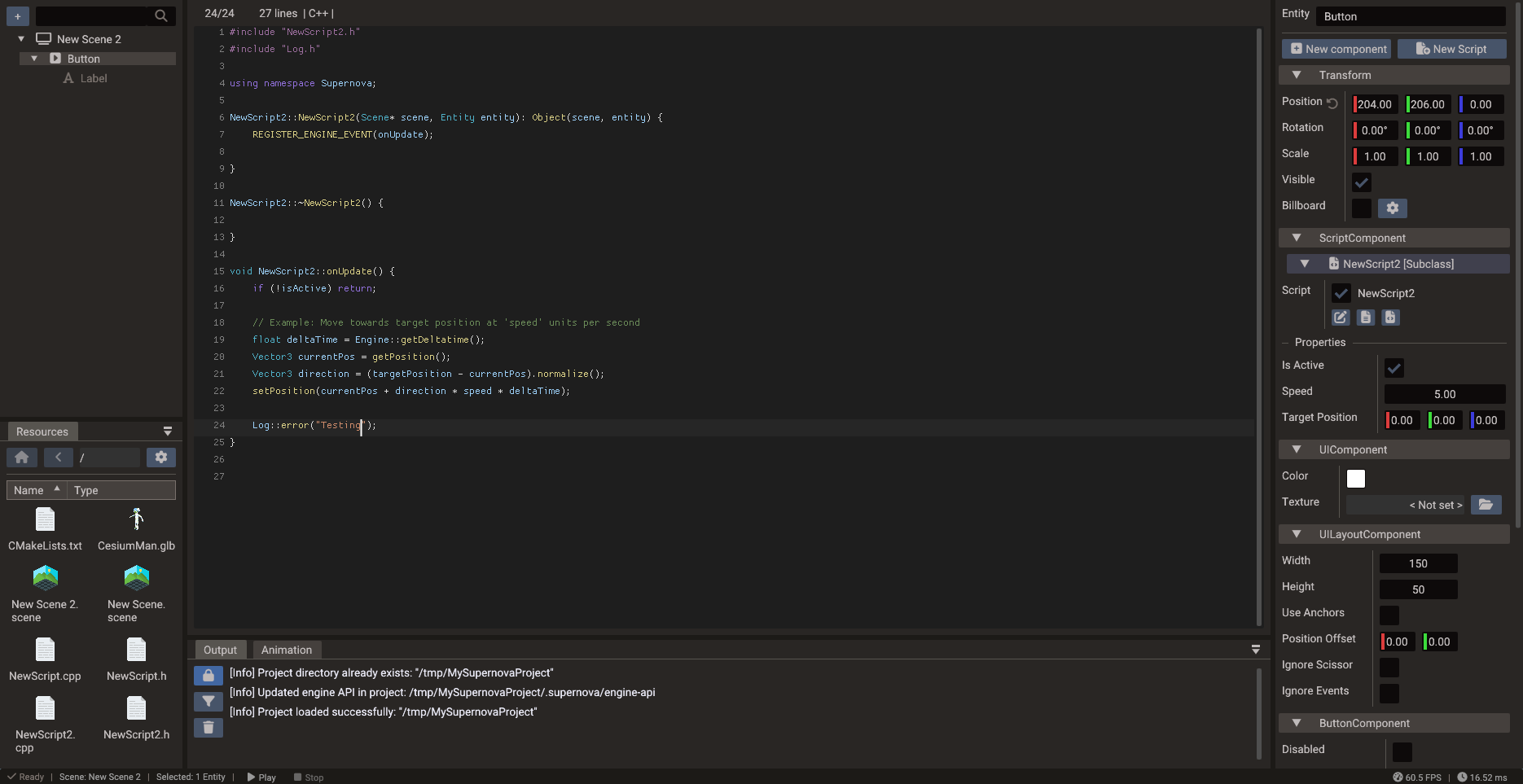
Supported workflows
| Workflow | Notes |
|---|---|
| Lua scripts | Fast iteration — script-only changes take effect immediately in play mode without rebuilding |
| C++ scripts | Compiled at export/build time for native performance; require a rebuild to take effect |
| GLSL shaders | Edit forked shader sources (.vert/.frag/.glsl); saving recompiles and refreshes the viewport. See Custom Shaders |
| Script templates | Create new Lua or C++ script files from boilerplate using the New Script dialog |
| Event menu | Add an engine, input, component, physics, or monetization event handler to a script in one click. See Add events |
| API completion | Engine API suggestions generated from Lua bindings; covers classes, methods, properties, and constants. Properties that return a copy are marked (copy) |
| Build output | Compiler errors, warnings, and export messages stream into the Output panel |
Creating a new script
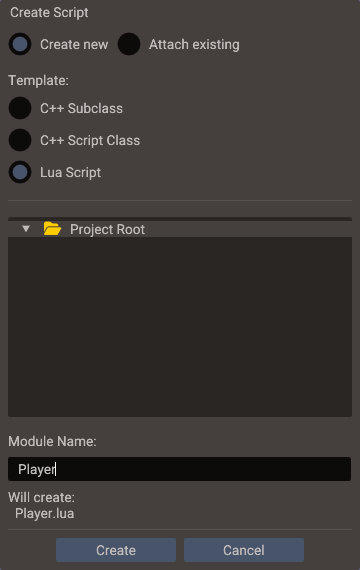
- Select an entity and click New Script at the top of the Properties window.
- Choose Lua Script, C++ Subclass, or C++ Script Class.
- Enter the class/module name and confirm.
The editor generates the files from templates and attaches a ScriptComponent entry to
the entity; open them here with the header and source buttons on that entry. To link
existing files instead, choose Attach existing in the same dialog, or add an empty
entry with Add Script inside the ScriptComponent and pick the files in its edit
dialog — see
Creating Scripts.
Drag entities into your code
Drag an entity from the Structure panel onto a script open in the Code Editor to create an entity reference property:
- Lua file — a typed entry is appended to the
propertiestable. - C++ header — a
DPROPERTYline and pointer member are inserted (with the#includewhen the type is another script class). Dropping on a.cppshows a reminder to use the header.
The property type comes from the dropped entity (its script class, or wrapper type such
as Object/Mesh/Camera), and the entity is assigned as the property value
automatically. See
Script Properties.
Add events
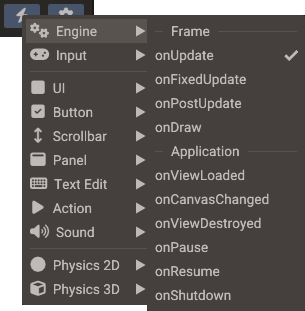
The lightning button (Add event) at the top of a Lua or C++ script window, next to the gear, opens the menu of events a script can subscribe to:
| Menu | Events |
|---|---|
| Engine | Frame updates (onUpdate, onFixedUpdate, onPostUpdate, onDraw), application events (onPause, onResume, onShutdown, ...) and onSceneLoaded |
| Input | Keyboard, mouse, touch, and gamepad events |
| UI, Button, Scrollbar, Panel, Text Edit, Action, Sound | Events of that component, which the script's entity needs to have |
| Physics 2D, Physics 3D | Contacts, sensors, body activation, and collision filters, for every body in the scene |
| AdMob, In-App Purchase, Web Portal | Results of the monetization services: ads loaded, shown and rewarded, purchases, portal ads and cloud saves. They belong to the class, so any script can add them |
The Touch section of Input includes onTouchCancel(pointer, x, y) for
releasing an interrupted finger's action without a click. A full cancellation calls
the handler once per tracked finger. See
Touch cancellation for notification order
and how to handle fingers that remain down.
Each entry shows the handler parameters. Picking one writes the code the event needs and puts the caret inside the new handler:
The REGISTER_* macro goes in the constructor and its UNREGISTER_* pair in the
destructor. The handler is declared in the header and defined in the source file, and
the event's header (such as ButtonComponent.h or AdMob.h) is included when
missing. It works from either file of the script; the other one, with the same name
next to it, is opened when the handler goes there. Monetization events register with
REGISTER_EVENT(AdMob::onAdLoaded, onAdLoaded).
The registration goes in init(), which is created when missing, and the handler
before return Name. Monetization events register with
RegisterEvent(self, AdMob.onAdLoaded, "onAdLoaded").
An event the script already registers shows a check mark, and picking it moves the caret
to its handler. Engine and input handlers are named like the event, as
REGISTER_ENGINE_EVENT and RegisterEngineEvent require. Other handlers are named after
the event too (onPress, onBeginContact2D), with the component added when that name is
taken: Sound > onPause becomes onSoundPause, since onPause belongs to the engine
event. Monetization events add their class instead: the second onInitialized a script
handles becomes onAdMobInitialized, onInAppPurchaseInitialized or
onWebPortalInitialized. Collision filters (preSolve2D, shouldCollide2D,
shouldCollide3D) start with return true, so every contact is kept until you add a
condition.
Each change is one undo step in the files open in the Code Editor. A closed header that only needs the declaration is saved directly.
Changed lines
When the project is kept in Git with Version Control Files on, the gutter marks every line that differs from the staged version of the file, as VS Code does:
| Mark | Meaning |
|---|---|
| Green bar | Added lines |
| Striped blue bar | Changed lines |
| Red triangle | Lines were removed here |
The same colors mark the changes on the left of the scrollbar, to find them in a long file. Rest the mouse on a mark to see the change: the removed lines in red, the lines that replaced them in green, and the characters that changed highlighted. The arrow at the top of the popup reverts the change to the staged lines, as one undo step.
The marks follow your typing and compare with what is staged, so staging a change clears its marks. Untracked, ignored and conflicted files have none, and neither has a file opened through a symbolic link.
Script entry point
Scripts subscribe to the engine events they need (onUpdate, onFixedUpdate,
onPause, onResume, onShutdown, and the input events). Lua scripts register in
init(); C++ scripts register in the constructor and unregister in the destructor:
The event menu writes this code for any event. See Creating Scripts for the full lifecycle and event system documentation.
DPROPERTY and script properties
Properties declared with DPROPERTY (C++) or in the properties table (Lua) appear
as editable fields in the Properties window automatically.
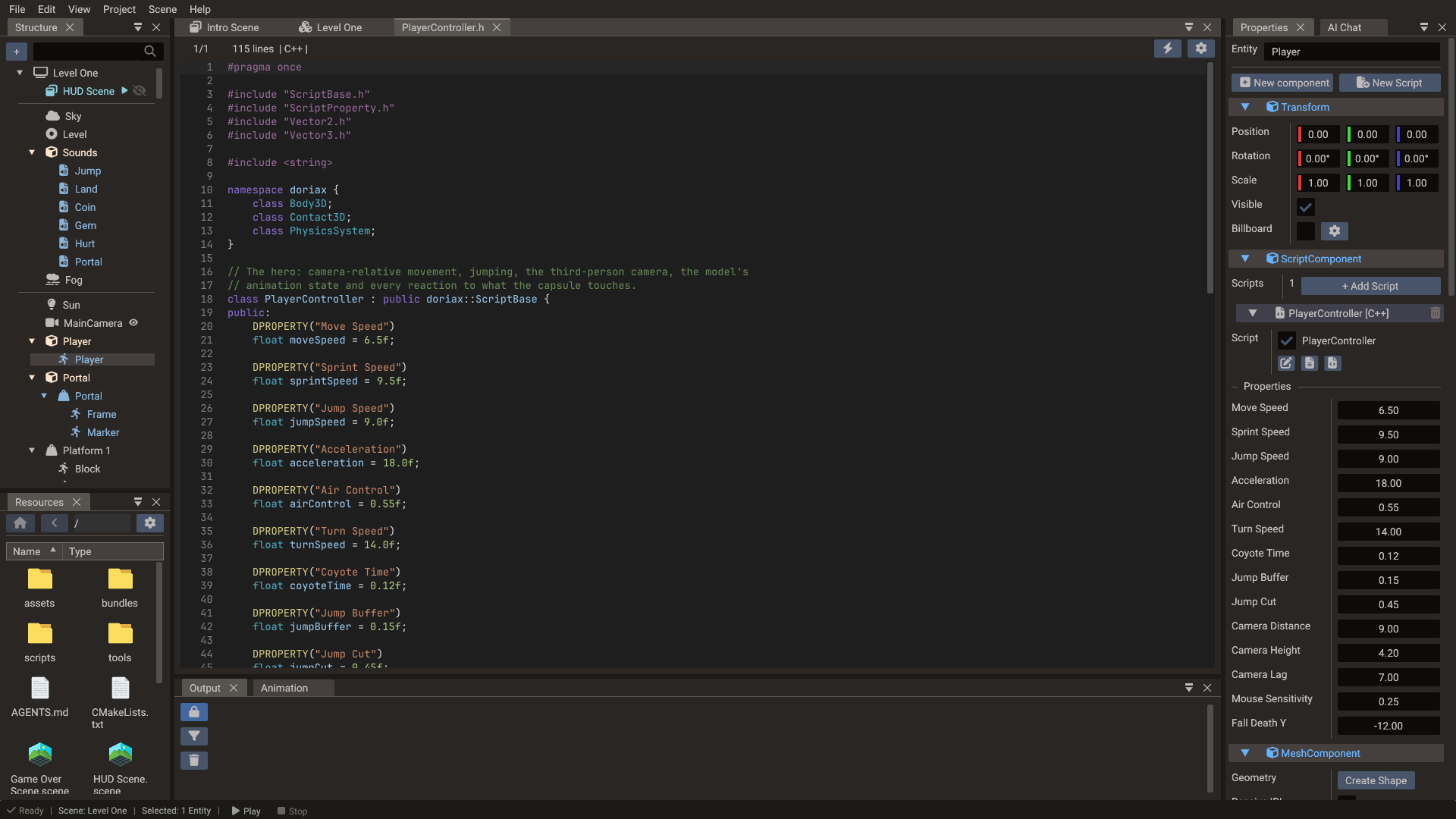
The editor parser reads DPROPERTY from C++ headers and populates the Properties
window without requiring a build. See
Script Properties for syntax and type mapping details.
Project entry points
A project can have both Lua and C++ startup paths. Set which one is active in project
settings, or keep both and use NO_CPP_INIT / NO_LUA_INIT to disable one at
compile time.
Practical tips
- Keep startup code small — move gameplay behavior into scripts or systems.
- Use
DPROPERTYfor values that designers should tune; avoid hard-coding magic numbers inside script logic. - Watch the Output panel after every C++ edit or export; it shows the first compiler error clearly.
- Lua scripts iterate faster during development — prototype in Lua, port to C++ for performance-critical paths.
- Use the built-in Log API for runtime diagnostics
rather than relying on
print.